




A Developer’s Nightmare: AI-Generated Script Wipes Entire Drive
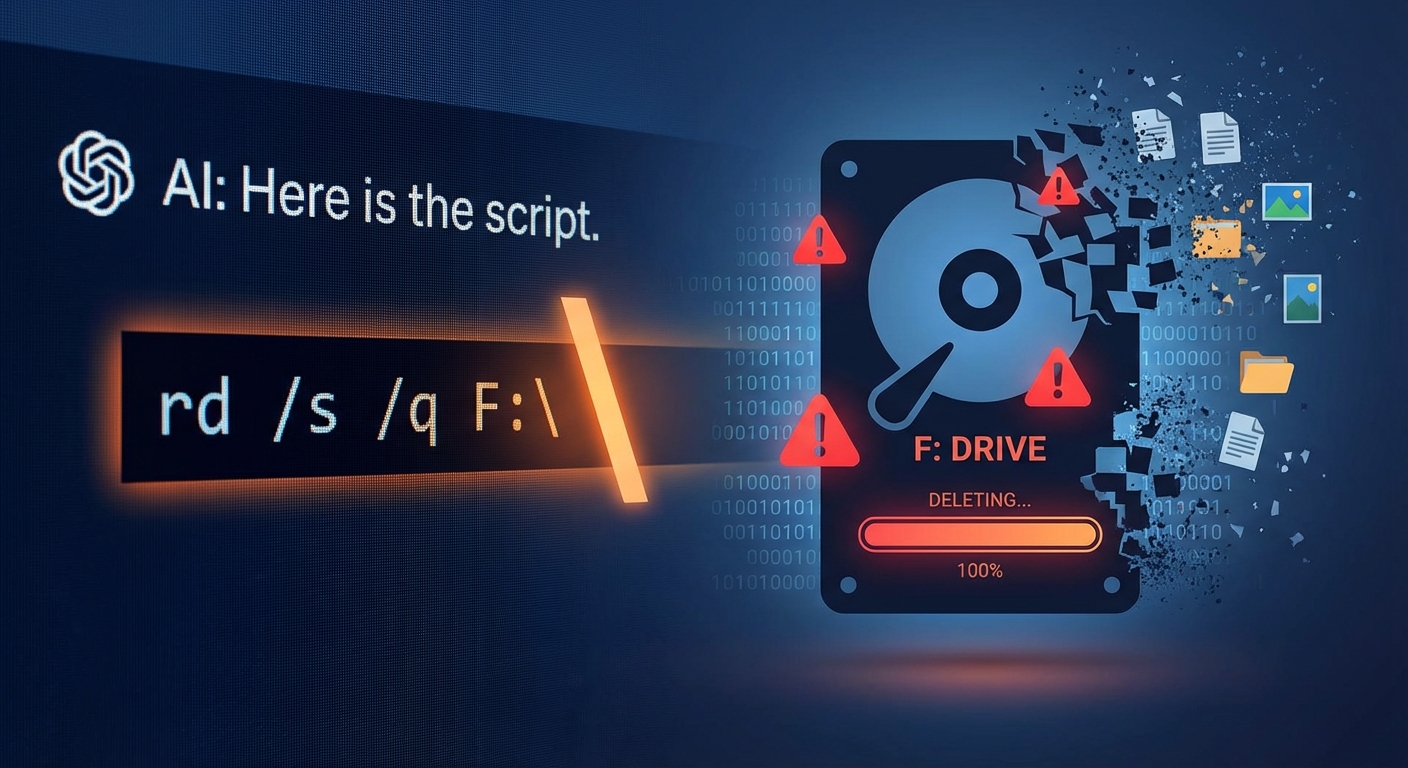
A user asked ChatGPT to write a simple PowerShell script to delete temporary Python folders, but the result was catastrophic. Instead of a targeted cleanup of a specific directory, the program completely erased the contents of the F: drive, destroying work projects and other data. This incident serves as a stark reminder of the risks associated with blindly trusting and executing AI-generated code without thorough verification.

The Technical Flaw: A Tale of Two Shells
An investigation into the incident revealed that the cause was a conflict in how Windows command-line interpreters handle special characters. The neural network used a backslash () in the path to escape quotation marks. While this approach can work in some contexts, the logic failed when calling the CMD shell via PowerShell (using `cmd /c`). The PowerShell environment and the classic command line do not interpret escape characters in the same way; in native PowerShell, the correct escape character is the backtick (`), not the backslash.
As a result of this misinterpretation, the path variable was truncated to a single backslash character (), which Windows interprets as the root directory of the current drive. The situation was exacerbated by the fact that the AI had included a “quiet” deletion command (`/q`), which suppresses any confirmation request from the user. This allowed the script to instantly and irreversibly destroy all data on the drive without any warning or opportunity to intervene.
A Known Risk: The Unreliability of AI-Generated Code
This incident is not an isolated case but rather a practical example of the documented risks of using AI for coding. Studies have shown that AI-generated code can often be flawed or contain vulnerabilities. For instance, a study from Purdue University found that 52% of programming answers from ChatGPT are incorrect. Another report from CodeRabbit revealed that AI-generated code produces 1.7 times more issues than code written by humans, including a higher rate of “critical” and “major” bugs.
Experts warn that while AI assistants can speed up development, they should be treated as assistants, not as standalone developers. The code they produce must be treated as untrusted output and requires careful review by a human, especially when the commands can interact directly with the file system.
Looking Ahead: The Indispensable Role of Human Oversight
The growing popularity of using AI for simple coding tasks, sometimes called “vibecoding,” introduces significant risks when the generated code is executed without checks. This case underscores the fundamental principle that anyone using AI-generated scripts must review and understand them before execution. Running potentially destructive commands in a sandboxed environment or removing “force” and “silent” flags during testing are crucial safety measures.
While AI tools are powerful accelerators, they lack true understanding and context, which can lead to critical errors. As AI becomes more integrated into development workflows, the responsibility falls on the user to verify the output. This incident is a clear lesson that when it comes to commands that can delete data, a single misplaced character can have devastating consequences.